

Tooltip#
A tooltip is a small help popup that appears when the pointer hovers over a
widget. ToolTip is a ttkbootstrap widget (a real class with its own API,
imported as ttk.ToolTip). This page covers attaching one, the hover delay and
wrapping, then the bootstyle color.
Usage#
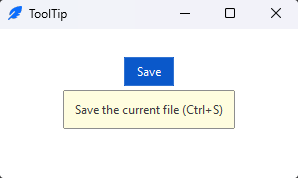
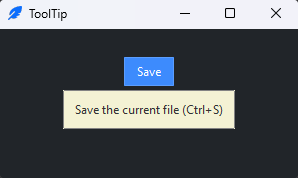
You don’t pack a tooltip — you attach it to an existing widget by passing
that widget and the text to show. It manages the hover itself:
import ttkbootstrap as ttk
from ttkbootstrap.widgets import ToolTip

app = ttk.App()

save = ttk.Button(app, text="Save", bootstyle="primary")
save.pack(padx=20, pady=20)

ToolTip(save, text="Save the current file (Ctrl+S)")

app.mainloop()
There is nothing to keep a reference to — the ToolTip wires itself to the
widget’s enter/leave events.
Delay and wrapping#
delay is how long (in milliseconds) the pointer must rest before the tip shows
(default 250); wraplength (in pixels) wraps a long tip onto multiple lines:
ToolTip(save, text="A longer explanation that should wrap onto a few lines.",
        delay=400, wraplength=200)
By default the tip follows the pointer. Pass position= to anchor it to the
widget instead — "top", "bottom", "left", "right", "center",
or a pair like "top left":
ToolTip(save, text="Save the file", position="top")
A ToolTip isn’t fire-and-forget — configure() changes its text,
bootstyle, and other options later, and a visible tip updates in place.
Extra keyword arguments go to the popup window itself. The tip draws above
every window — like native tooltips — so it stays readable even over a
topmost main window; pass topmost=False to keep it above its own
application only:
ToolTip(save, text="Save the file", topmost=False)
Color#
bootstyle colors the tooltip from the semantic palette — use it to match the
tip to the kind of control (danger for a destructive action, say):
ToolTip(delete_button, text="This cannot be undone", bootstyle="danger")
Reference#
ToolTip API reference — every option and method.
See also
Toast — a temporary notification that appears on its own, not on hover.