

Typography#
Text in a tkinter app is styled through the standard Tk named fonts — a
handful of fonts (TkDefaultFont, TkTextFont, TkFixedFont, …) that
every interpreter ships and every widget reads by default. There is no separate
ttkbootstrap font vocabulary: change a named font and every widget that uses it
restyles at once. This guide covers setting a font on a single widget, the
one-liner that restyles the whole app, per-font tweaks, and registering your own
named fonts.
Setting a font on a widget#
Any widget that shows text takes a font= option, and tkinter accepts the value
in several forms. Reach for a direct font= for a one-off — a single
heading, one label in a particular size; for typography that stays consistent
across the app, prefer the named fonts (the rest of this guide).
A (family, size, style) tuple is the clearest form. The order is fixed — family, then size, then an optional style:
ttk.Label(app, text="Title",   font=("Helvetica", 16, "bold"))
ttk.Label(app, text="Caption", font=("Helvetica", 10, "italic"))
ttk.Label(app, text="Both",    font=("Helvetica", 12, "bold italic"))
The style is optional and may combine bold, italic, underline, and
overstrike. Because the family is its own element, a multi-word name such as
"Segoe UI" needs no special handling.
The size is in points — so it scales with the display — unless you make it negative, which means device pixels:
("Helvetica", 12)     # 12 points (scales with the display's DPI)
("Helvetica", -16)    # 16 pixels (fixed)
String forms say the same thing and turn up throughout existing tkinter code.
The -option value form is explicit, and you can set only the fields you want —
the rest come from the default font:
ttk.Label(app, text="Heading", font="-size 16 -weight bold")   # default family
ttk.Label(app, text="Heading", font="-family Georgia -size 16 -weight bold")
There is also a bare "family size style" string — "Helvetica 16 bold" —
but it cannot express a multi-word family: "Segoe UI 16" fails, because Tk
reads UI as the size. Use the tuple or -family when the family name has a
space.
Two more values work anywhere font= is accepted: a named font string
("TkHeadingFont", or an alias you registered — the form to use when you want
the value to follow the app’s typography rather than stay fixed), and a
Font object (ttk.Font(family="Helvetica", size=16,
weight="bold")), a live handle you can reconfigure later — see the
Fonts reference.
Each of these pins a font onto one widget. To restyle text everywhere from a single place, use the named fonts described next.
The named fonts#
A named font is a font registered under a name in the interpreter. Widgets reference it by that name rather than carrying their own copy, so reconfiguring the name updates every widget that uses it — no interception, no per-widget loop. These are the fonts ttkbootstrap manages:
Named font |
Kind |
Used by |
|---|---|---|
|
proportional |
Most widgets — buttons, labels, entries; the general UI font. |
|
proportional |
Text-entry widgets ( |
|
proportional |
Column headings and other emphasis. |
|
proportional |
Menu items. |
TkCaptionFontTkSmallCaptionFont |
proportional |
Window and dialog captions. |
TkIconFontTkTooltipFont |
proportional |
Icon labels and tooltips. |
|
monospace |
Code and console-style text. |
You can hand any of these to a widget’s font= option directly — it works on
stock tkinter widgets too:
ttk.Label(app, text="Section", font="TkHeadingFont").pack()
Note
Some named fonts (TkTooltipFont, TkIconFont, TkSmallCaptionFont)
are absent on some platforms. The helpers below skip any that the current
interpreter does not define, so you never have to guard for them yourself.
Setting the global family#
The headline one-liner retints every proportional named font in a single call. Because widgets read those fonts, it restyles the whole app:
import ttkbootstrap as ttk

ttk.set_global_family("Segoe UI")

app = ttk.App()
ttk.Button(app, text="Save", bootstyle="primary").pack(padx=20, pady=20)
app.mainloop()
set_global_family() rides the deferred-config seam: call
it at the top of a file before the root exists — as above — and the setting is
queued and applied when App() comes up. If a root already exists, it applies
live.
The monospace font (TkFixedFont) is left alone unless you ask for it with
mono_family:
ttk.set_global_family("Inter", mono_family="Cascadia Code")
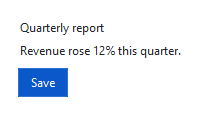
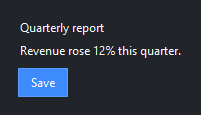
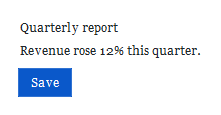
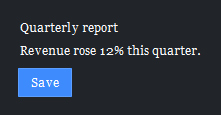
Building a type system#
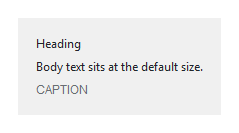
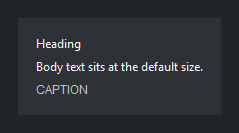
Past the global family, most apps want a few deliberate roles — a larger
heading, a smaller caption — and the named fonts are where you set them, once, at
startup. Use the Fonts namespace, whose methods operate on
the live root, so call them after App() exists (a pre-root call raises a clear
“too early” error rather than spawning a stray root — for the top-of-file case use
the module-level set_global_family above).
Adjust a built-in role. Fonts.configure changes one named font in place —
family, size, weight, slant, underline — and every widget
that reads it updates live. Bump the base size a point and make headings larger
and bold:
ttk.Fonts.configure("TkDefaultFont", size=11)
ttk.Fonts.configure("TkHeadingFont", size=14, weight="bold")

ttk.Label(app, text="Quarterly report", font="TkHeadingFont").pack()
Because widgets already read these names, that is a working type scale without
touching a single widget’s font=. (To retint the whole family live against an
existing root, Fonts.set_global_family(...) is the sibling of the
module-level call.)
Define your own role. When no built-in name maps to a role you need, register
one with Fonts.create_alias and refer to it by name everywhere — the same
mechanism the Tk*Font names use. Re-registering a name reconfigures it rather
than erroring, so it is safe to call at startup:
ttk.Fonts.create_alias("HeadingSm", family="Helvetica", size=12, weight="bold")

ttk.Label(app, text="Quarterly revenue", font="HeadingSm").pack()
Pick a name that is not already taken — Tk predefines TkCaptionFont,
TkHeadingFont, and the other built-in roles above, so an alias like
Caption would shadow territory Tk already names. Define your fonts once and
the rest of the code just names the role; restyle a role later — a bigger
heading, a different family — in that one place and the whole app follows.
Seeing what the fonts are. Fonts.names() lists the managed named fonts and
Fonts.describe(name) returns a font’s resolved family/size/weight (omit the
name for the whole mapping) — useful when a value isn’t what you expect:
ttk.Fonts.describe("TkDefaultFont")
# {'family': 'Segoe UI', 'size': 11, 'weight': 'normal', …}
Fonts.reset drops ttkbootstrap’s cached font wrappers; it runs automatically
when the app is destroyed, so you rarely call it yourself.
See also
The named-font families are the standard tkinter fonts; for the Font
object and the full options, see the Fonts reference.