

Run background work#
A tkinter app runs your callbacks on one thread — the same thread that draws
the window and processes clicks. While a callback runs, nothing repaints. A
callback that blocks for two seconds freezes the window for two seconds. This
recipe covers the two tools that keep the UI responsive: after for work you
can slice up, and a worker thread for work you can’t.
See also
How a tkinter app runs — the event loop this recipe builds on, and why one slow callback stalls everything.
Deferring and repeating with after#
after() schedules a callback to run later, through the
event loop, so the UI keeps painting in the meantime. It takes a delay in
milliseconds and the function to call:
app.after(1000, lambda: status.configure(text="one second later"))
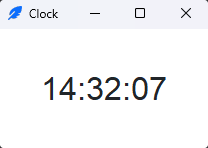
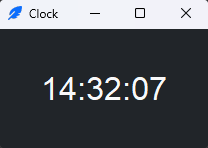
For a repeating task — a clock, a poll — the idiom is a function that reschedules itself at the end:
import ttkbootstrap as ttk
from datetime import datetime

app = ttk.App()
clock = ttk.Label(app, font="-size 24")
clock.pack(padx=40, pady=40)

def tick():
    clock.configure(text=datetime.now().strftime("%H:%M:%S"))
    app.after(1000, tick)      # schedule the next tick

tick()                         # start the loop
app.mainloop()
Each tick does a tiny bit of work and hands control straight back to the
event loop, so the clock updates once a second without ever blocking. after
returns an id you can pass to after_cancel() to stop a
pending call.
Warning
after does not make blocking code non-blocking. after(0, slow_fn)
still runs slow_fn on the UI thread and still freezes the window for its
whole duration — it just defers when. For work that genuinely blocks (a
network call, a big computation), use a thread.
Blocking work in a worker thread#
For work that blocks — a download, a long query, heavy CPU — run it on a
separate threading.Thread so the UI thread stays free. The catch:
The one rule
Never touch a widget from a worker thread. A Tcl interpreter belongs to
the thread that created it. Tkinter will forward a call made from another
thread back to that thread — but only while the event loop is running.
Outside it, the call fails with RuntimeError: main thread is not in main
loop; inside it, your worker blocks until the UI thread services the call,
serializing the work onto the very thread you were trying to keep free. The
worker computes; the main thread updates the UI.
The safe pattern hands results back through a queue.Queue that the main
thread drains with a short after poll. The worker only ever puts onto
the queue; only the poller — running on the UI thread — configures widgets:
import ttkbootstrap as ttk
import threading, queue, time

app = ttk.App(title="Worker", size=(360, 160))
status = ttk.Label(app, text="Ready")
status.pack(pady=20)
bar = ttk.Progressbar(app, mode="determinate", maximum=3, bootstyle="success")
bar.pack(fill="x", padx=20)
results = queue.Queue()

def work():
    # runs on the worker thread — no widget calls in here
    for step in range(1, 4):
        time.sleep(1)                     # stand-in for real blocking work
        results.put(("progress", step))
    results.put(("done", "Finished"))

def drain():
    # runs on the UI thread — safe to touch widgets
    try:
        while True:
            kind, payload = results.get_nowait()
            if kind == "progress":
                bar.configure(value=payload)
            elif kind == "done":
                status.configure(text=payload, bootstyle="success")
                run.configure(state="normal")
                return                    # stop polling; work is done
    except queue.Empty:
        pass
    app.after(100, drain)                 # nothing yet — check again soon

def start():
    run.configure(state="disabled")       # no second worker on the same queue
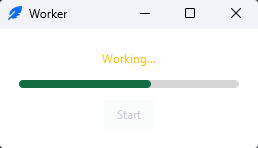
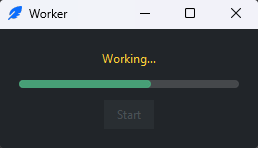
    status.configure(text="Working…", bootstyle="warning")
    threading.Thread(target=work, daemon=True).start()
    app.after(100, drain)                 # begin polling for results

run = ttk.Button(app, text="Start", command=start, bootstyle="primary")
run.pack(pady=10)

app.mainloop()
How it fits together:
The worker (
work) does the blocking part and reports progress byputing plain data — a(kind, payload)tuple — onto the queue. It never calls a widget.The poller (
drain) runs on the UI thread viaafter. It drains whatever the worker has queued, updates the widgets, and reschedules itself until it sees the"done"message. AQueueis thread-safe, so this hand-off needs no locks.The Start button disables itself for the duration. Without that, a second click starts a second worker and a second poller racing on one queue.
daemon=Truelets the program exit even if the thread is still running.
Note
This is also how you stream output into a ScrolledText —
the worker queues lines, the poller inserts them and calls
see("end").
See also
Scroll long content — streaming worker output into a
ScrolledText.threading — the worker thread this pattern runs the blocking work on.
queue — the thread-safe hand-off between the worker and the poller.
Reference#
After —
after,after_cancel,after_idle, and job ids.